PCIe USB 3.0 and USB-C Expansion Card 4-Port

product number: 3409
80.00$
Color: Black
Used For: PC
Type: Adapter
Whatsapp Order
Checkout safely using your preferred payment method
  • visa
  • mastercard

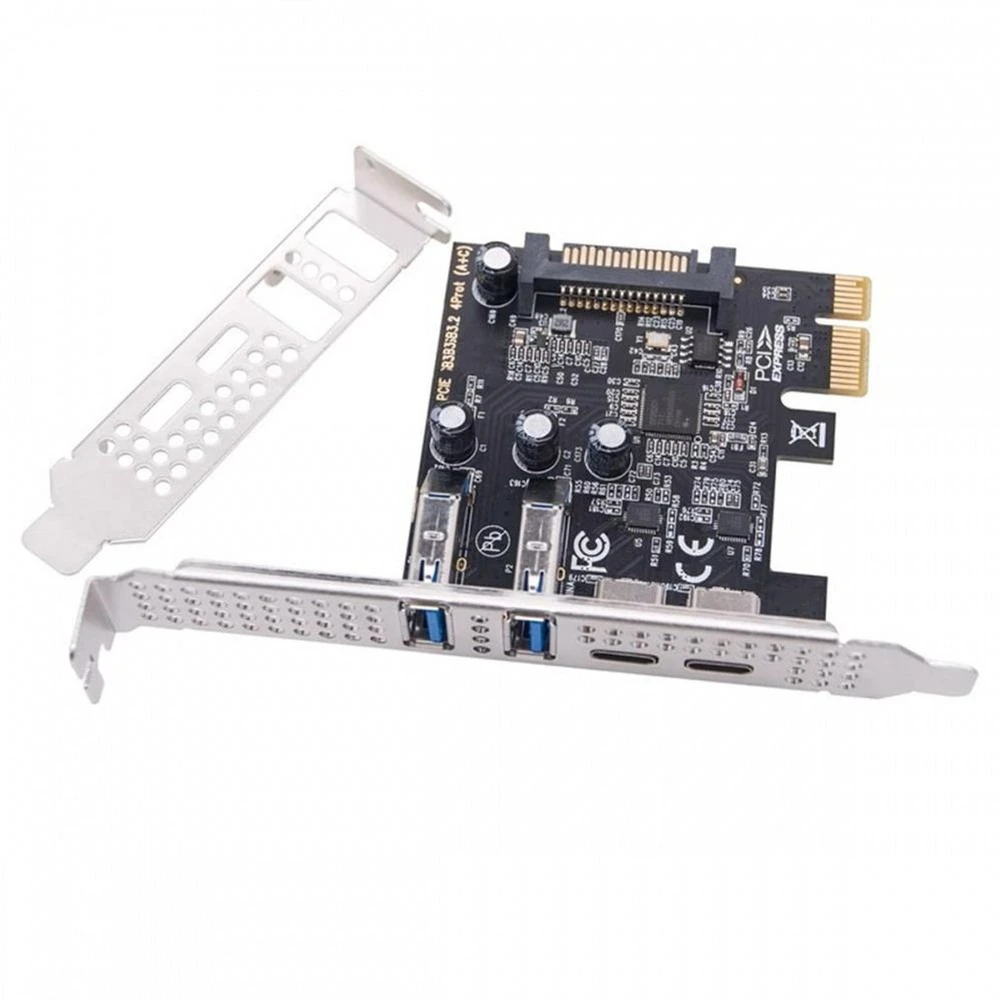
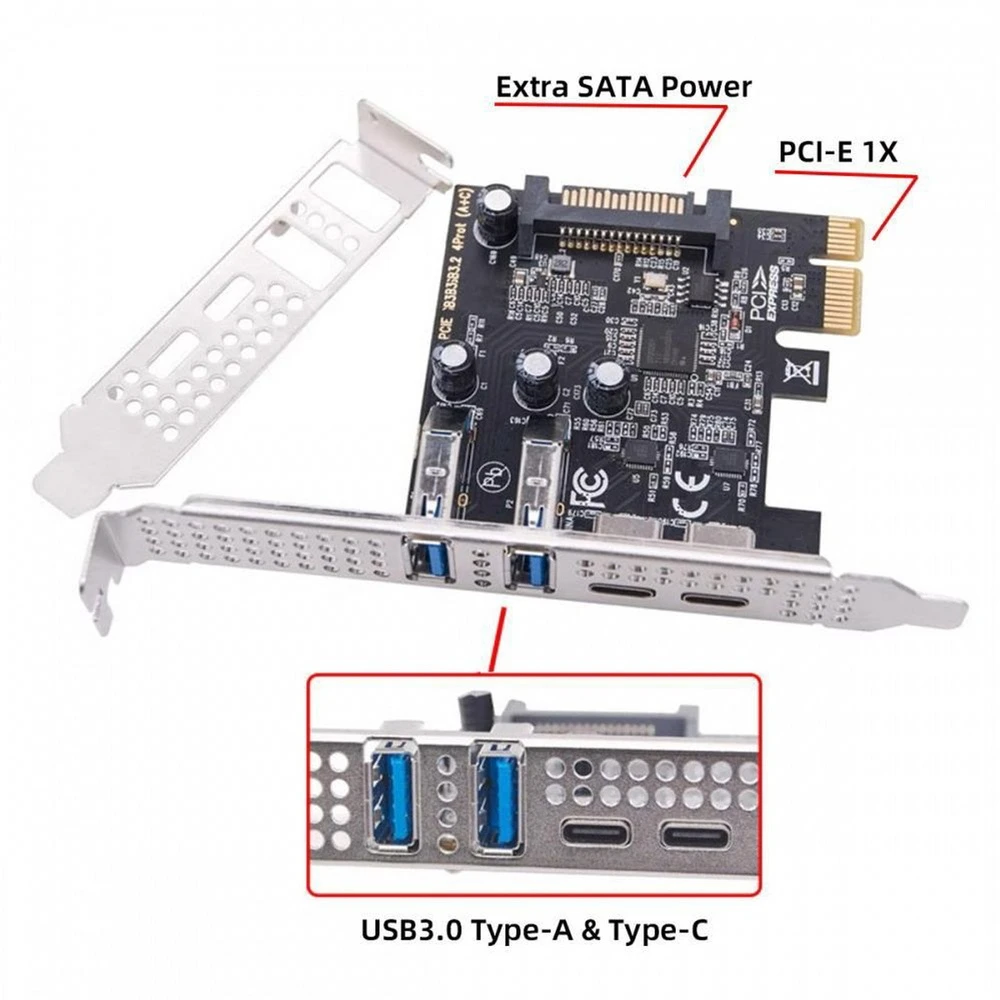
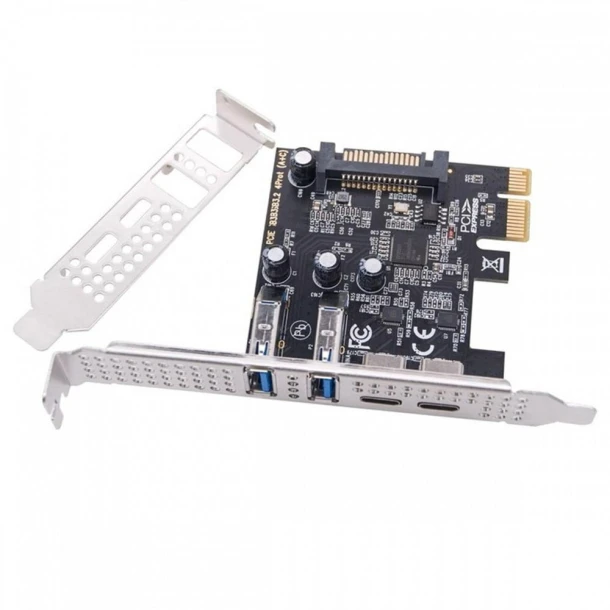
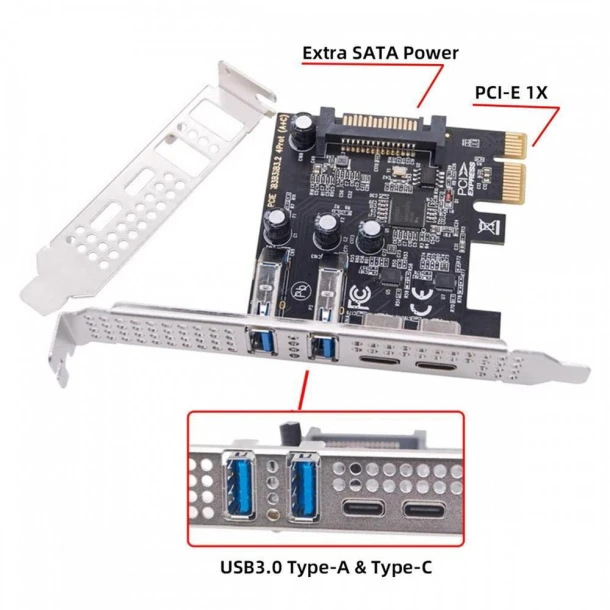
Add four external USB connections to a compatible desktop PC with this PCI Express expansion card. The rear bracket provides two USB-A ports and two USB-C ports for USB data peripherals.

Connections
• Host interface: PCIe x1.
• External ports: 2 × USB-A and 2 × USB-C; four ports total.
• USB standard: USB 3.0 for data transfer. Actual speed depends on the connected device, cable and system.
• Additional power connector: internal SATA power input from the PC power supply. This connector supplies power and is not a SATA data port.
• Black PCB with silver metal mounting bracket.

Suitable uses
Connect compatible USB storage devices, keyboards, mice and other USB data peripherals to a desktop computer. Use suitable USB-A or USB-C cables for each device.

Compatibility and installation
Requires a compatible desktop PCIe slot and an available rear expansion opening. Power down and unplug the computer before installation. Check operating-system driver support before use. USB-C connector shape alone does not confirm display output, Thunderbolt or USB Power Delivery; these functions are not advertised for this card.

Package
PCIe USB expansion card with metal mounting bracket. Connected USB devices are not included.
Description

Add four external USB connections to a compatible desktop PC with this PCI Express expansion card. The rear bracket provides two USB-A ports and two USB-C ports for USB data peripherals.

Connections
• Host interface: PCIe x1.
• External ports: 2 × USB-A and 2 × USB-C; four ports total.
• USB standard: USB 3.0 for data transfer. Actual speed depends on the connected device, cable and system.
• Additional power connector: internal SATA power input from the PC power supply. This connector supplies power and is not a SATA data port.
• Black PCB with silver metal mounting bracket.

Suitable uses
Connect compatible USB storage devices, keyboards, mice and other USB data peripherals to a desktop computer. Use suitable USB-A or USB-C cables for each device.

Compatibility and installation
Requires a compatible desktop PCIe slot and an available rear expansion opening. Power down and unplug the computer before installation. Check operating-system driver support before use. USB-C connector shape alone does not confirm display output, Thunderbolt or USB Power Delivery; these functions are not advertised for this card.

Package
PCIe USB expansion card with metal mounting bracket. Connected USB devices are not included.
Shopping Cart

Wishlist
Have a question?
Got questions? We're here to help! We'll get back to you as soon as we can.